Let's talk






Industry · SAP · 2016–2021
Five industrial engineers in a Siemens steam-turbine factory created their manufacturing processes in SAP from printed bills of materials, highlighter pens and copied legacy texts. Thiago Andrade, then an application engineer in permanent employment, worked the process on the shop floor for months, validated the core problems with the team and built a solution from Excel automation, a template library and an SAP link. According to the project records, lead time fell by 80 %.

In a steam-turbine factory in Brazil, Siemens builds custom machines for power plants and industrial sites. Five industrial engineers define the manufacturing processes there, routings in SAP terms, that the shop floor follows to machine and assemble every part. The way to get there ran through printed bills of materials, highlighter pens and copying old SAP texts. As an employed application engineer, Thiago Andrade mapped the workflow, validated the core problems with the team and implemented a solution made of Excel automation, a template library and an SAP link. The result, according to the project records: 80 % less lead time, from one to two days per bill of materials to hours.
For Beabstracto this is the origin case. It is where the way of working we now bring to industrial and banking projects took shape: first understand the workflow at the workplace, then the functional concept, then a prototype in the tools people already use. In this text, “we” means Thiago and the industrial engineering team; it was not a Beabstracto engagement.
All values come from the project records; the quantities per turbine are approximations.
Project records
Project records
Project records
Approximations from the portfolio case
What was the starting point? A factory that builds custom machines, and five engineers who started every new project with a stack of paper and a highlighter.
A steam turbine takes eight months to a year to manufacture and another year to install and commission; depending on the project, costs range from one to fifty million euros. Thousands of people work in the factory, in engineering, assembly, purchasing and sales, so that in the end a power plant or an industrial site, mostly in South America and the United States, generates electricity.
The users are the industrial engineers: a team of five, mostly mechanical engineers with further specialisation as welding experts, Six Sigma black belts, experienced assemblers or CNC machinists. Their actual job is to improve processes, reduce manufacturing waste and use their expertise to cut costs. On top of that, they have to define the manufacturing processes for every machine. The project persona is Carlos, 32: AutoCAD, Excel, SAP and a radio, often right on the shop floor, overtime at every bottleneck, several projects in parallel under tight deadlines.
A manufacturing process is essentially a recipe: a document stored in SAP that the shop-floor staff open and that describes step by step how a specific part is machined or assembled, with heat-treatment specifications, machining parameters, durations and references to drawings. Anyone who knows SAP would call it a routing.
This is how the work ran before the project: order management buys the parts and prints the bills of materials. The industrial engineer receives a stack of paper per main assembly and strikes out the purchased parts item by item: bolts, nuts, washers that arrive ready-made. What remains is marked with a highlighter and put into the queue. Per turbine that is around 34 main bills of materials with roughly 500 items each, of which 8 to 30 need a manufacturing process. For every marked part the engineer then searches SAP for a similar part from an old project, a guessing game with project codes, copies the text and changes every project-specific detail in a very long document.
What was at stake? Steam turbines are custom machines: the main components are always similar but never identical. The knowledge of which variant fits when lived in the heads of the five engineers and in old PDFs. And because every disruption on the line takes immediate priority, there was hardly any time left for what the department is actually there for: process improvement.
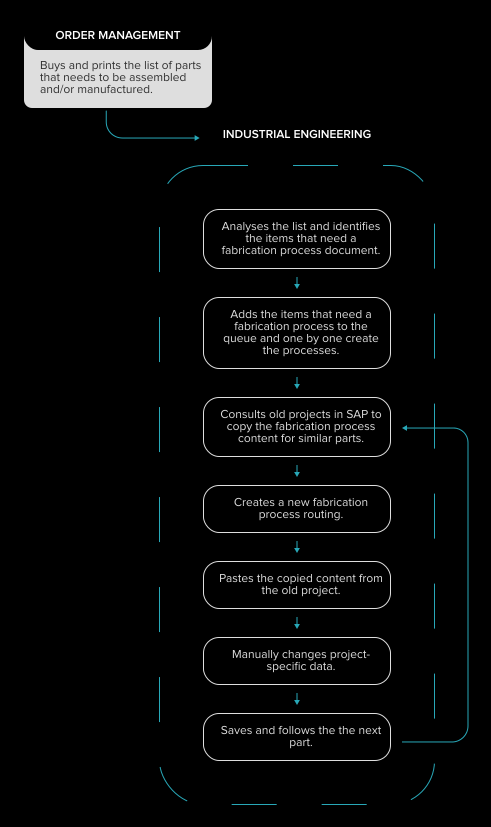
What was the problem? Not a single bottleneck, but a chain of manual steps that started over with every project.
Hundreds of items per list, a handful of them relevant. The engineer read every line, recognised purchased parts by name and experience, and highlighted the rest. Hours per list before a single process existed.
Because the parts resemble each other, the engineers copied old processes. To do so they had to guess the project code of the right old project, open the text in SAP and change every project-specific entry by hand in a very long document. Every change was a source of error, and there was no versioning.
A rotor is always a rotor, but never the same rotor. Without templates with variables there were only two options: write everything from scratch or copy blindly. Neither scaled, and both produced inconsistent processes.
Heat-treatment specifications, cutting speeds, proven sequences: all of that sat in old PDFs or nowhere. Every engineer solved the same problem again, and newcomers had nothing to hold on to.
Anyone who writes documentation and fixes emergencies on the line at the same time always prioritises the emergency. The strategic work of improving processes and cutting costs regularly fell by the wayside; the team called that not a complaint but the normal state.
How did we go about it? Not with a workshop day, but over months on the shop floor. As an employed application engineer, Thiago was part of the industrial engineering department and wrote manufacturing processes himself before he changed them.
Before the problem was defined came observation: a turbine's path from pre-sales to delivery, and as the entry point the industrial engineer's first touchpoint, the bill of materials. Thiago created processes himself, juggled line demands and emergencies, and captured the workflow as a diagram, including the quantities. Interviews with the engineers added what observation did not show.
Observation produced a list of eight core problems that Thiago validated with the end users through feedback; that took months, not days. From it came the persona Carlos, the problem statement (“As an industrial engineer, I want to create manufacturing documents faster so that I can focus on process improvement, cost reduction and standardisation”) and four project goals: digitalisation, performance, standardisation, automation.
With validated problems, ideation began. The “how might we” questions clustered into four areas: automate and reuse documentation, identify components intelligently, standardise flexibly, reduce overload. Around thirty solution ideas emerged, from a template library in SAP to a dynamic bill-of-materials viewer in Excel and a kanban inbox for open processes.
Honestly, there was no big workshop where engineers, developers and product owners came together. There was Thiago pitching one idea after another, building small MVPs and showing them until something validatable emerged. Eight ideas made it into implementation, from the Excel-to-SAP uploader through the process library, the bill-of-materials viewer with automatic filtering and the SAP script automation to the progress tracker. Together with the industrial engineers, the concept went to management.
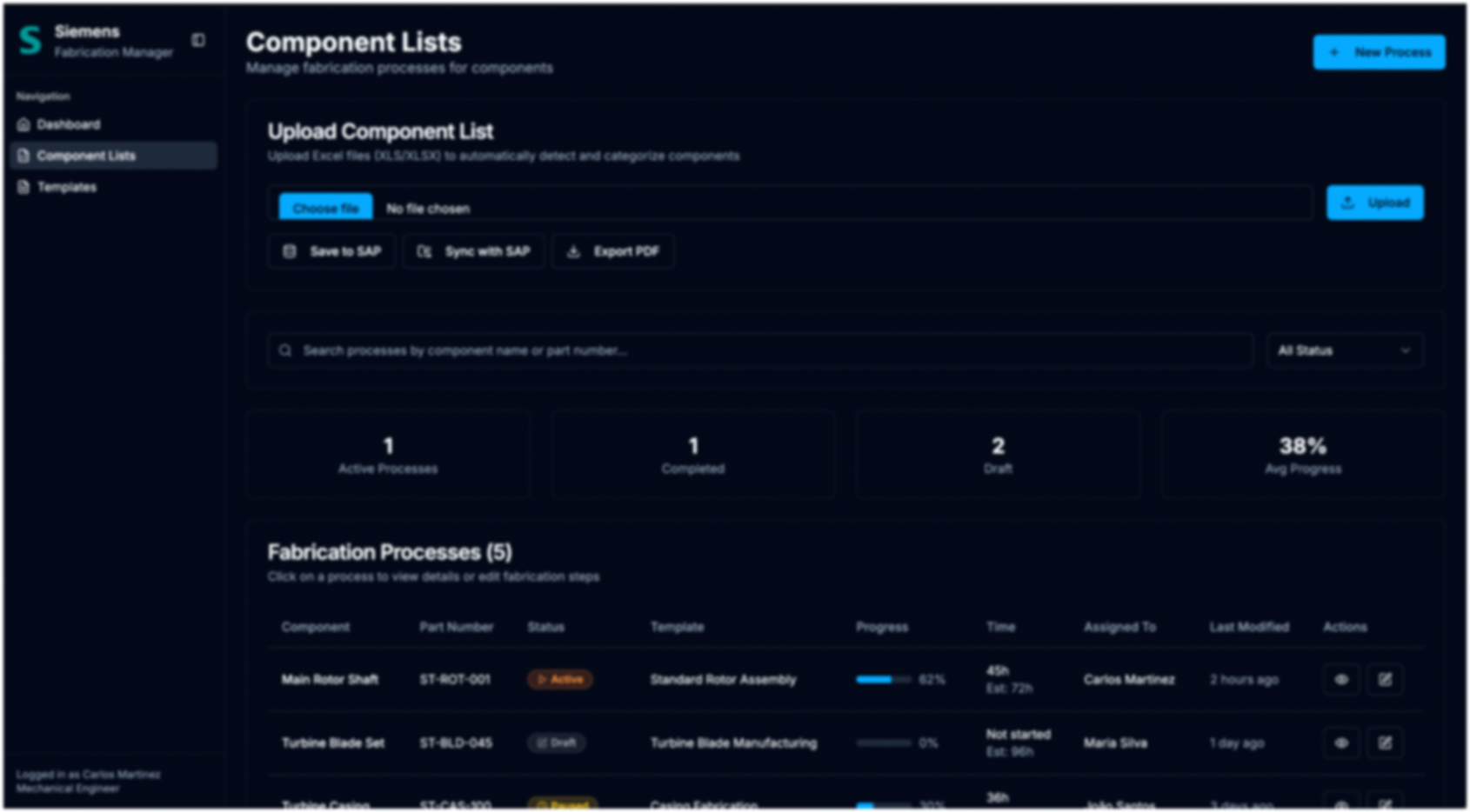
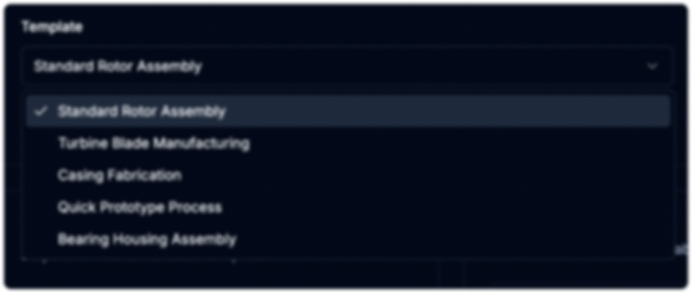
The solution was not set up as a new system on the side but built in Excel and SAP, with VBA macros and SAP scripting, and implemented by Thiago himself. The bill of materials comes in as XLSX, purchased parts are filtered out automatically, the relevant items land in a queue. For each part the engineer picks a template such as “Standard rotor assembly” or “Blade manufacturing”, adjusts steps, durations and parameters, checks the preview and technical data, and hands the process to SAP with one click.
With the template library and modular process blocks, the engineers stopped reinventing the wheel. Recurring blocks such as material inspection, roughing, finishing or heat treatment are described cleanly once and adapted per project instead of rewritten. A dashboard shows which processes are open, in progress and completed, so that urgency alone no longer decides what happens next.

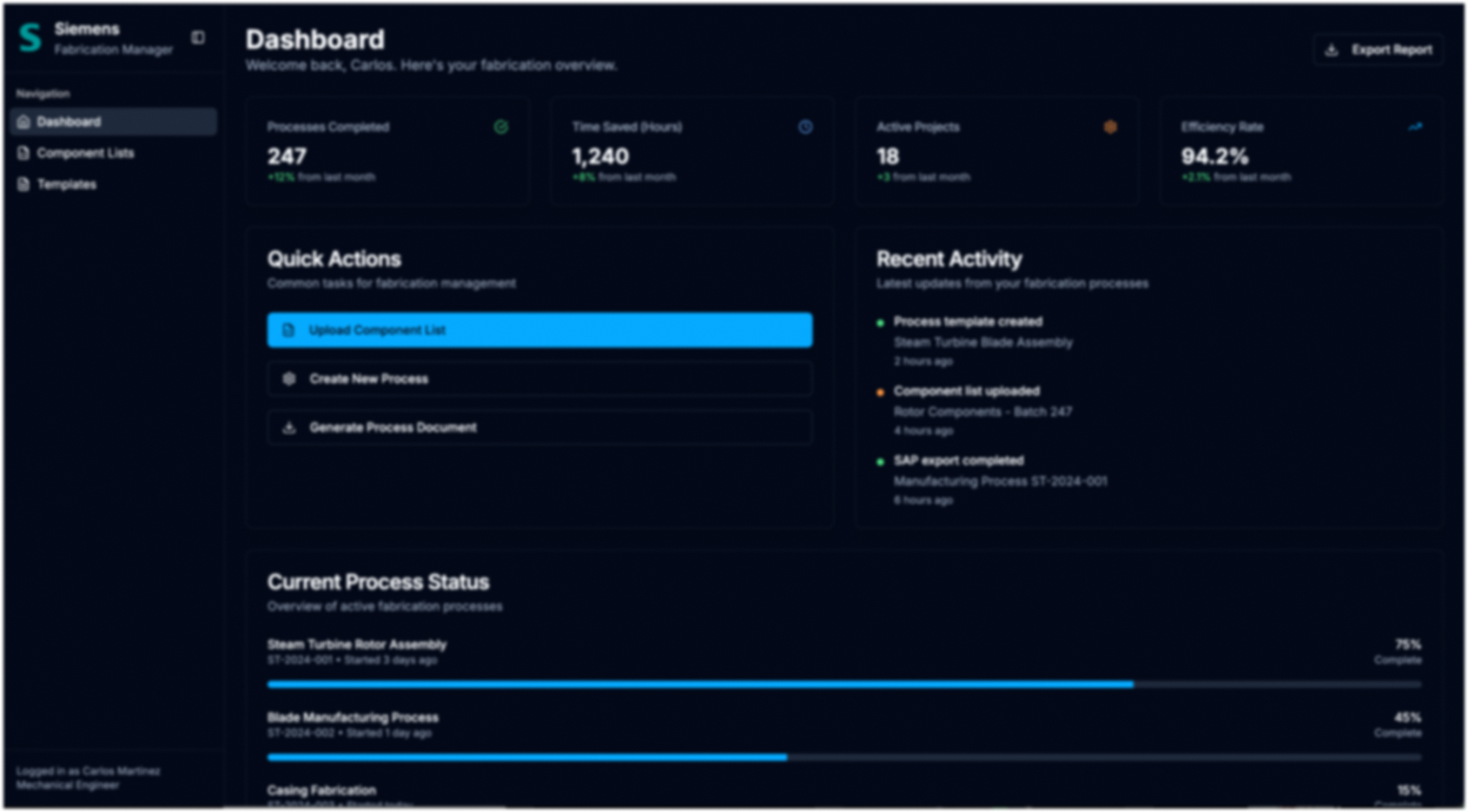
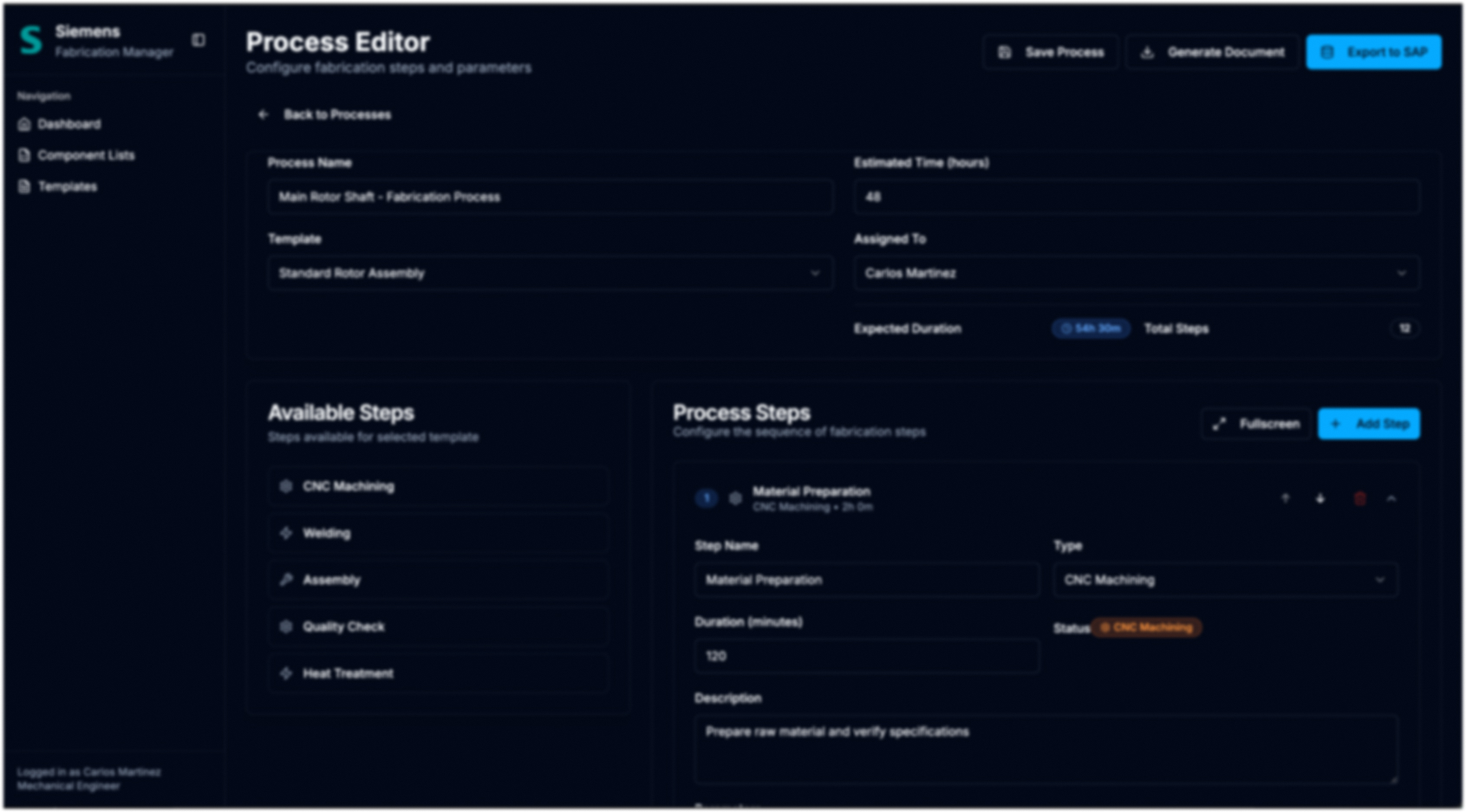
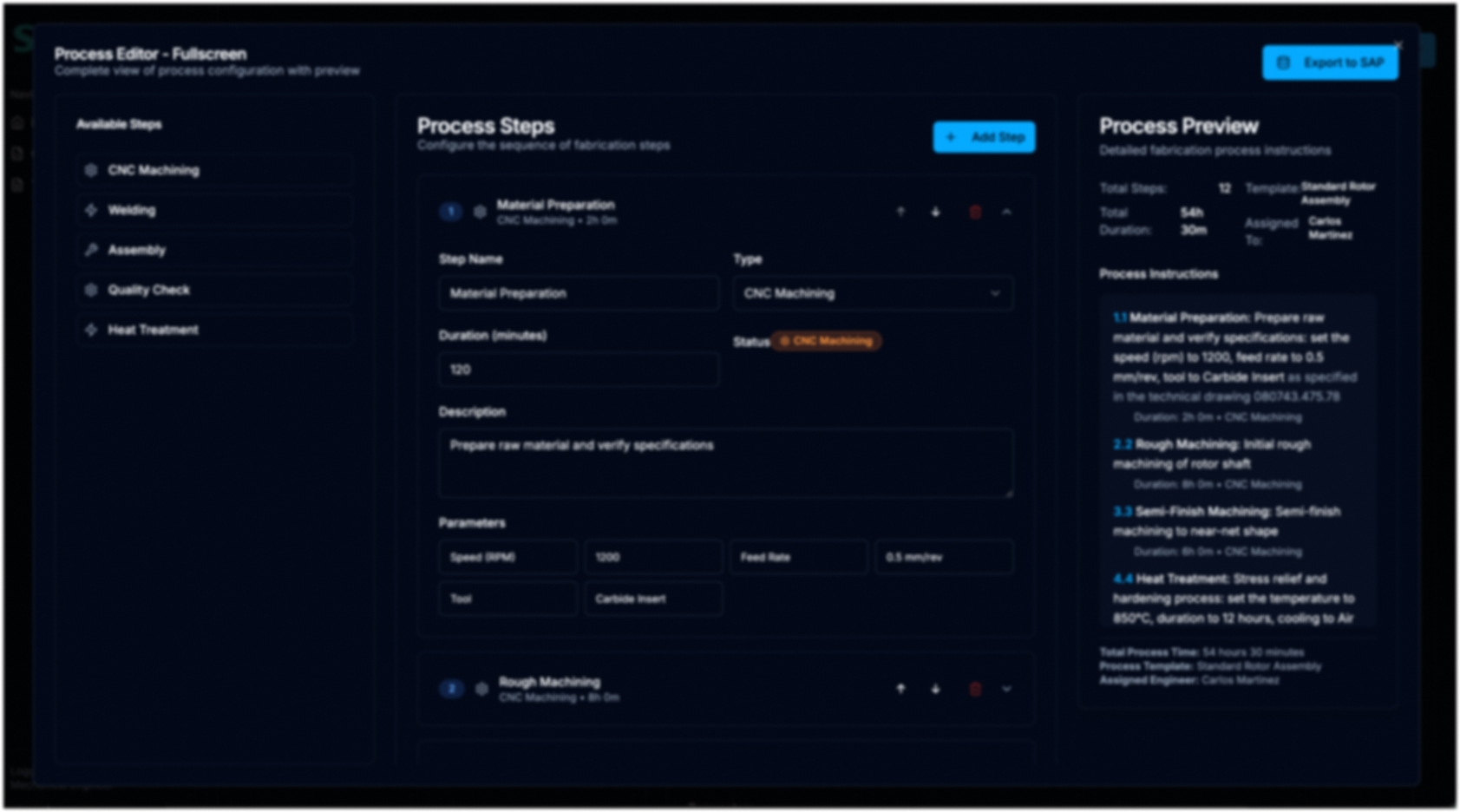
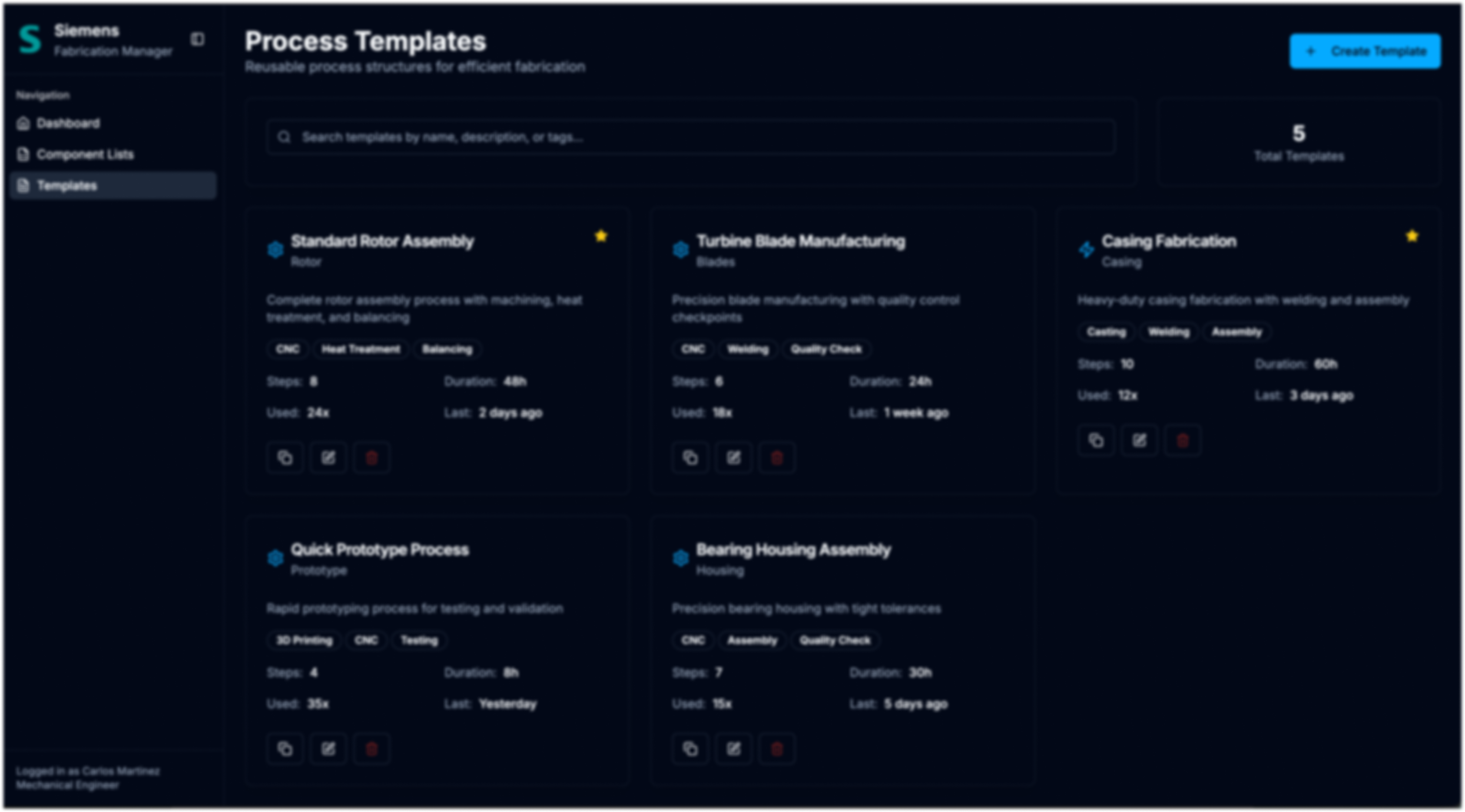
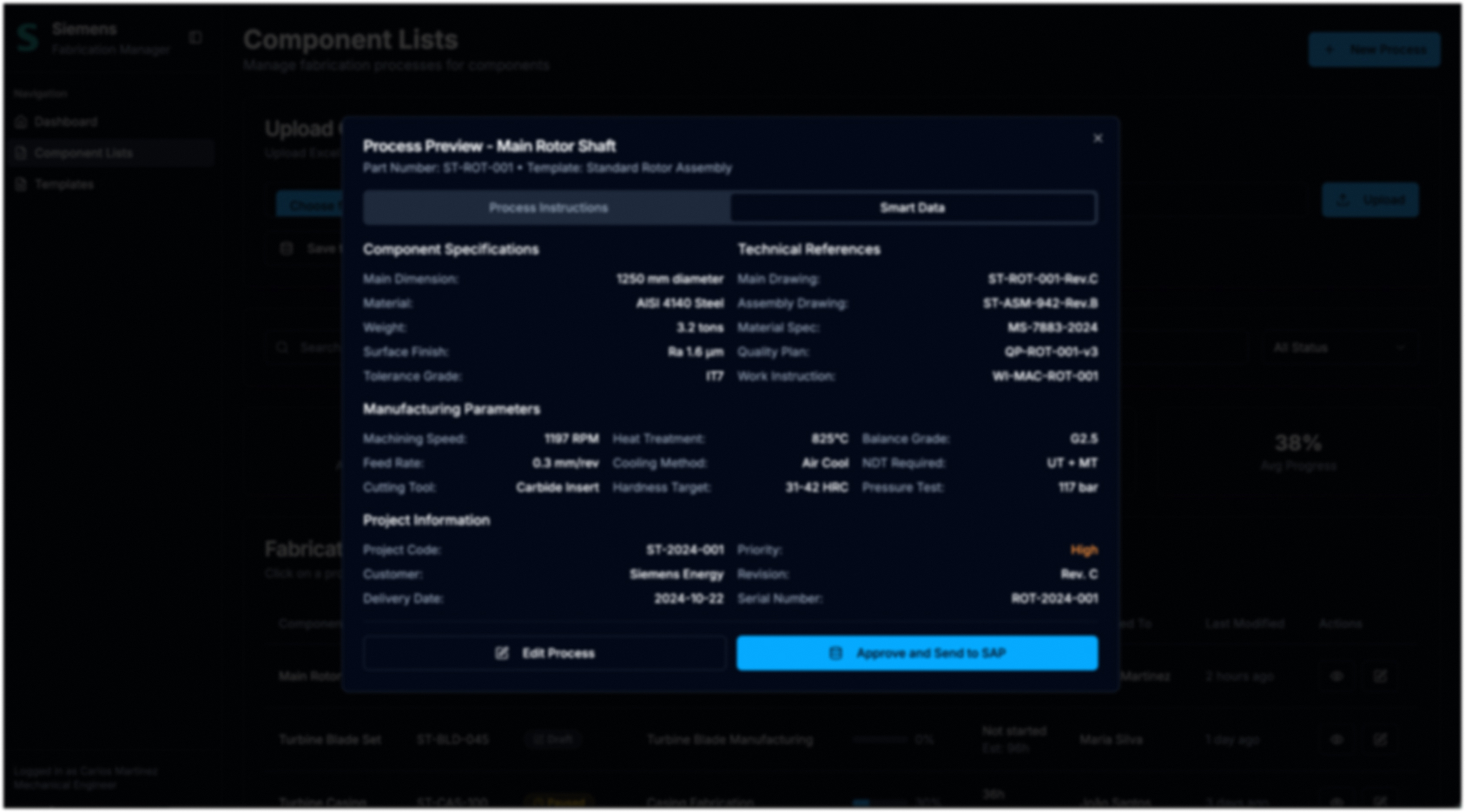
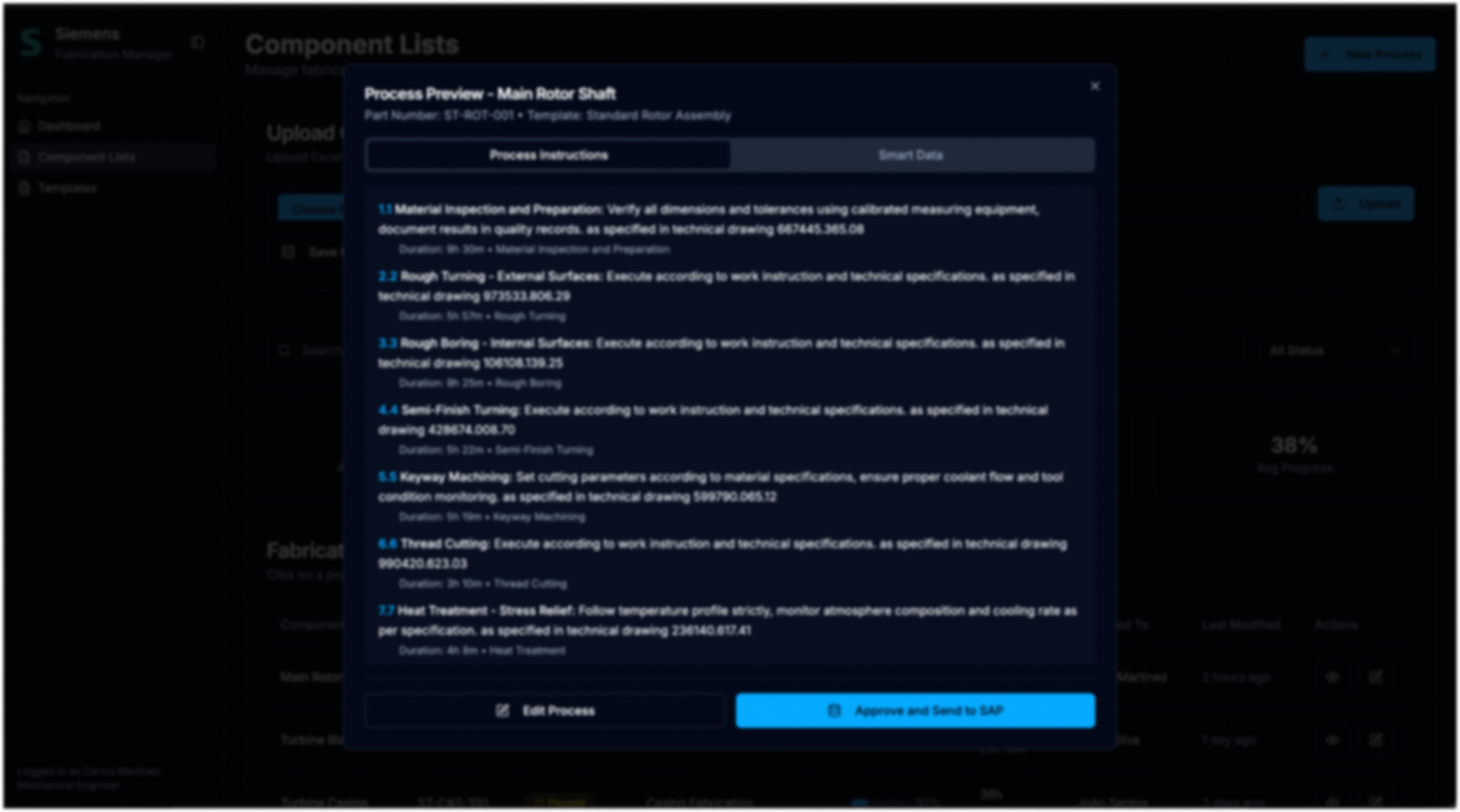

What is the result? A day-long task per bill of materials became a matter of hours, and the knowledge behind it no longer lives only in heads.
| Aspect | Before | After |
|---|---|---|
| Checking the bill of materials | Paper stack, highlighter, item by item | XLSX import, purchased parts filtered out automatically |
| Creating the process | Guess the old project, copy the SAP text, adjust line by line | Pick a template, adjust steps and parameters, check the preview |
| Hand-over to SAP | Manual entry, errors only visible in the system | One click, checked beforehand in the smart data view |
| Time per bill of materials | One to two days | Hours, sometimes minutes (80 % less according to project records) |
| Knowledge | In heads, old PDFs and project codes | Templates and building blocks, versioned and searchable |
| Overview | None; urgency decides | Status and progress visible per process |
What used to take one to two days per bill of materials now takes hours with automation, reusable templates and the Excel-to-SAP link, and minutes in simple cases. The figure comes from the project records; where no measurement exists, we do not quote one.
Printed bills of materials, highlighters and manual filtering have been replaced by a searchable interface. The system makes the distinction between purchased part and manufactured part; the engineer starts directly with the process.
With the template library and modular process blocks, processes for similar parts are built from verified blocks. Project specifics get adjusted, the rest stays consistent, and the error source “change long texts by hand” disappears.
Heat-treatment specifications, machining speeds and proven sequences are stored, versioned and searchable across projects: the basis for onboarding and for standardisation beyond the five heads.
The department exists to improve processes and cut costs. Less time for documentation means more time for that, and the dashboard shows what is open before it becomes urgent.
The core problems were not settled after one interview but after months in which Thiago wrote manufacturing processes himself and lived through emergencies on the line. Paper stacks and highlighters were symptoms, not misconduct. For industrial clients this means: process mapping means walking along and lending a hand, not just asking questions.
Excel and SAP were available, familiar and approved. Building the solution into them instead of placing a new system next to them is what made adoption possible in the first place. In SAP and MES initiatives we therefore first check what the existing stack can do before anyone orders a new interface.
Custom machines cannot be forced into rigid templates. What worked were building blocks with variables: the same rotor assembly, but different quantities, sequences and parameters. Templates that fix everything get bypassed; templates that provide the scaffold and leave the details open get used.
There was no ideal workshop with everyone involved. There were many small demos, MVPs and setbacks until the engineers made the concept their own and went to management with it. That alliance with the future key users decides in every rollout whether a tool merely exists or gets used.
The time per bill of materials, the number of lists per turbine and the share of items needing manufacturing were collected during the as-is analysis. That made the improvement measurable later without estimating after the fact. Count before the project and you can prove it after.
We look at the workflow at the workplace and tell you honestly whether a concept is worth it.
Book an initial call