Let's talk





Sector
UX for power generation: operator displays for control systems and SCADA/HMI, plus the tools engineers use to design, manufacture and run plants. We come from the engineering side of steam turbine manufacturing and design together with the operators who carry responsibility on shift. Energy is experience from our own careers, not a client reference, and we say so openly.
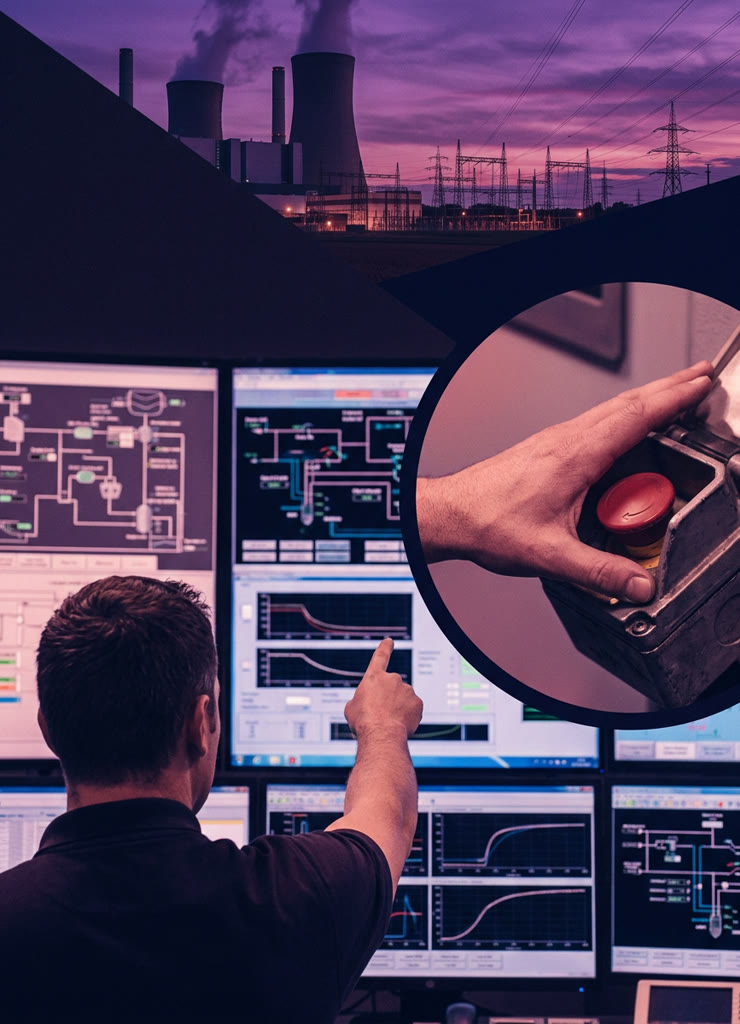
Beabstracto is a UX studio in Munich for complex, critical expert systems. In the energy sector we work on control systems, SCADA/HMI and the engineering software around power plants and industrial facilities: operating concept, operator displays, alarm presentation, tools for design calculations and manufacturing preparation. The founder worked as an industrial and application engineer in steam turbine manufacturing at Siemens, with P&IDs for power generation systems, thermodynamic design and SAP routings. That closeness to the plant shapes our work. We are informed by ANSI/ISA-101, VDI/VDE 3699 and EEMUA 191 as a benchmark for good practice, not as a certificate.
In the control room and in the engineering office, the technology is rarely the problem. The problem is that interfaces and tools fail to show what matters at the moment it matters.
Every deviation announces itself with the same weight, and during an upset hundreds of messages arrive in a short time. The operator learns to click them away, and that is exactly when the one message that counts gets lost. An alarm concept along the principles of EEMUA 191 and ISA-18.2 is design work, not just parameter settings.
The process display reproduces the plant as a flow diagram, in full colour, with every measured value. Where the plant currently stands and what comes next is something the operator has to piece together. Those who have known the displays for years cope; newcomers do not.
The displays have grown over years, and every retrofit has added a corner. Modernisation feels risky because nobody knows any more which operating sequence is anchored where. So everything stays as it is until the platform reaches end of life.
The official software for design calculations, work preparation or documentation exists, but the engineers calculate alongside it in their own spreadsheets. The knowledge sits in files on network drives, not in the system. We know this from our own experience in turbine manufacturing.
Experienced shift leaders see at a glance what a display conceals. When they leave, that knowledge leaves with them. An interface that makes plant states explicit is therefore also a way of securing knowledge.
A new control system or a new engineering tool is rarely introduced at a single location. Every site has its own habits, operating modes and key users. Without an introduction concept, local workarounds appear and the product is considered a failure even though it technically works.
We work where the plant is operated and planned, together with the operators and engineers who will use the result.
We sit in the control room during shift handover, start-up and upsets, and we look over engineers' shoulders while they calculate and document. We note where people search, bypass and improvise. The result is a task analysis with plant states, not a wish list of features.
With experienced operators and engineers we define which states, values and actions a display has to carry. The result is an operating concept with display hierarchy, alarm philosophy and navigation rules, agreed with control engineering and IT.
We design overview, area and detail displays, trend views and the alarm list, informed by ANSI/ISA-101 and VDI/VDE 3699. The prototype is clickable and filled with real plant data so operators can judge it the way they will later use it.
We run through upsets and routines: start-up, load change, an alarm in an auxiliary system. We check whether the situation is recognised and the right action is found. Whatever does not hold up is reworked before engineering configures a single line.
We hand over documented specifications to the teams implementing in WinCC Unified, TIA Portal, Qt/QML or web technologies, and on request we accompany the introduction: key users, training material, rollout across sites, adjustments after go-live.
Four clearly cut services for professional systems
Each with a fixed team, a fixed point of contact and no onboarding time in your domain.
The founder worked in steam turbine manufacturing at Siemens as an industrial and application engineer: manufacturing processes in SAP, P&IDs for power generation systems, thermodynamic design of turbines and auxiliaries. There he built a solution from Excel automation, a template library and an SAP connection that, according to project records, cut lead time by around 80 %. That was permanent employment, not a Beabstracto engagement; we list it as experience, not as a reference.
For a manufacturer of industrial furnaces we modernised a legacy application for expert users that had grown over time: product architecture, information architecture, user flows and design system direction. Operating concept, alarm presentation and plant visualisation are the craft we carry from industry into the energy sector.
For a provider of maintenance software we designed an app with which technicians record the condition of electronic components directly at the control cabinet, as a multi-brand design system for many industrial customers. The app is live and shows how operation in the worst moment and scaling across brands can be solved together.
Tell us where people improvise today in the control room or in engineering. We will look at where UX brings the most.